Back to Experience
Case study / Waste management

Designing a smarter way to collect waste.

Collect HUB is a connected waste-collection platform that brings customers, collectors, companies, and administrators into one streamlined digital ecosystem.

One pickup. Four roles. One connected journey.
Role
Product Design · Architecture · Full-Stack Development
Product
Collect HUB
Industry
Waste Management
Platforms
iOS & Android (React Native) + Web
Users
Customers / Collectors / Companies / Admins
Scope
UX StrategyDesign SystemSystem ArchitectureMobile & Web DevelopmentBackend

Engineering & tech stack

One backend, four consistent clients.

01Mobile appsReact Native — customer & collector
02Web panelsNext.js — company & admin
03Backend APINestJS on the Fastify HTTP adapter
04DataPostgreSQL · Prisma ORM
05Auth & messagingAWS Cognito · Twilio
06InfrastructureAWS EC2 · API Gateway
React Native
Next.js
NestJS
PostgreSQL
Prisma
AWS Cognito
Twilio
AWS EC2
API Gateway

Service-area matching, not a marketplace free-for-all

Companies define a service radius around their location. Requests only reach the companies whose radius actually covers the pickup address — matching happens server-side before a request is ever visible to a company.

Payment gates request creation

A pickup request is only created after the Makuta payment gateway confirms the charge — there's no “pending payment” request state to reconcile later, which keeps the request lifecycle and the transaction ledger inherently in sync.

One backend, four clients

The same NestJS/Fastify API and Prisma/PostgreSQL data layer serves the React Native customer and collector apps and the Next.js company and admin panels — one source of truth for request state across every role.

The problem

One pickup. Multiple people. One complex system.

A customer creates a request. A company, matched by service area, manages the operation. A collector receives and completes the pickup. Behind it, the system has to track payment, status, location, timing, and completion.

The challenge was never a set of individual screens. It was a connected ecosystem where every role knows what needs to happen, what already happened, what happens next — and who owns the next action.

  • What needs to happenNext action per role
  • What already happenedShared history
  • What happens nextPredictable states
  • Who owns itClear handoffs
  1. 01Customercreates
  2. 02Requestpriced & paid
  3. 03Companymatched by service area
  4. 04Collectorassigned & accepts
  5. 05Pickupin progress
  6. 06Transactionrecorded
  7. 07Completionreceipt sent

The ecosystem

One platform. Four perspectives.

01

Customer

Request & track

Requests a pickup on demand or subscribes to a company's collection plan, pays through the platform, and follows the pickup to completion.
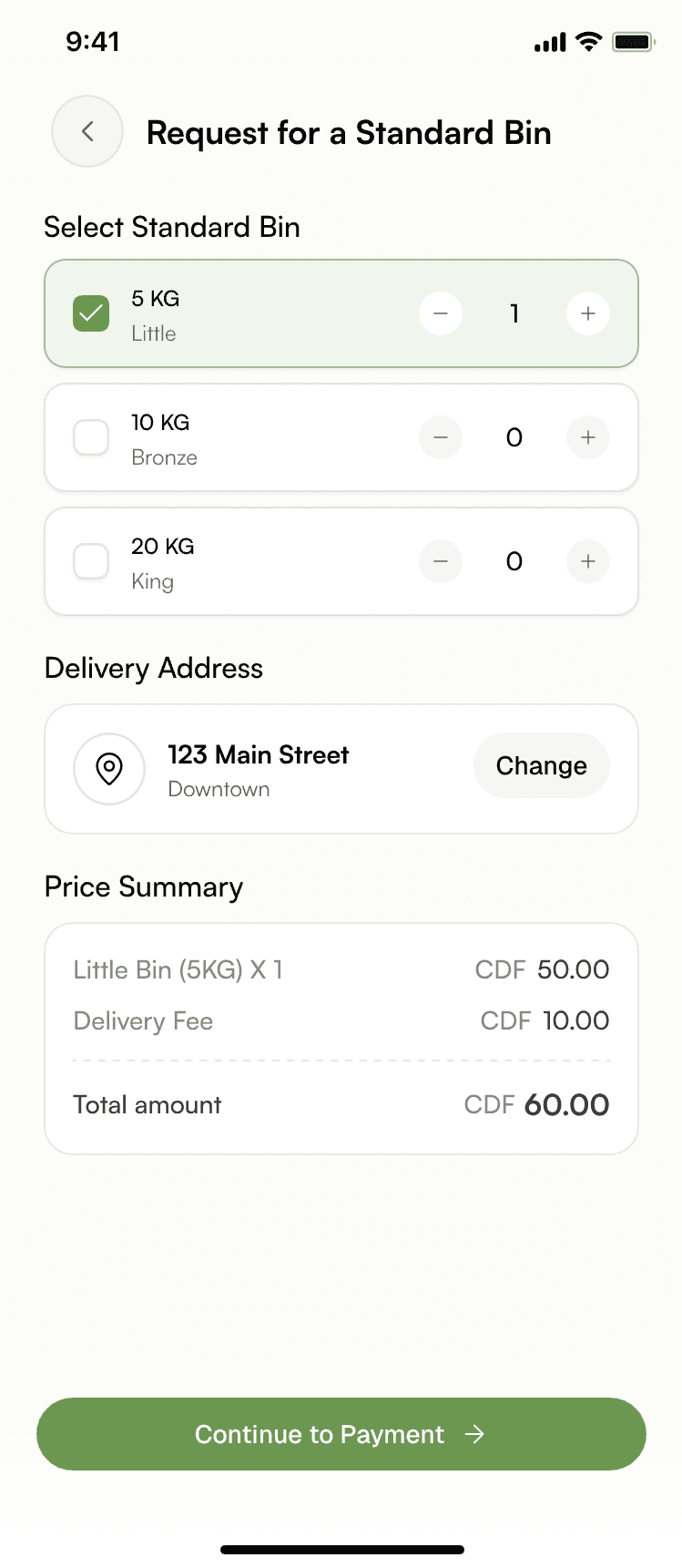
Customer app — request a standard bin
02

Collector

View & complete

Goes online, views pickups assigned by their company, navigates to the location, and marks the job done.

Collector app — today's trips
03

Company

Manage operations

Defines a service area and radius, receives matched requests, assigns collectors, and manages its own collection plans — without touching admin-level configuration.

Company panel — requests table
04

Admin

Manage the entire system

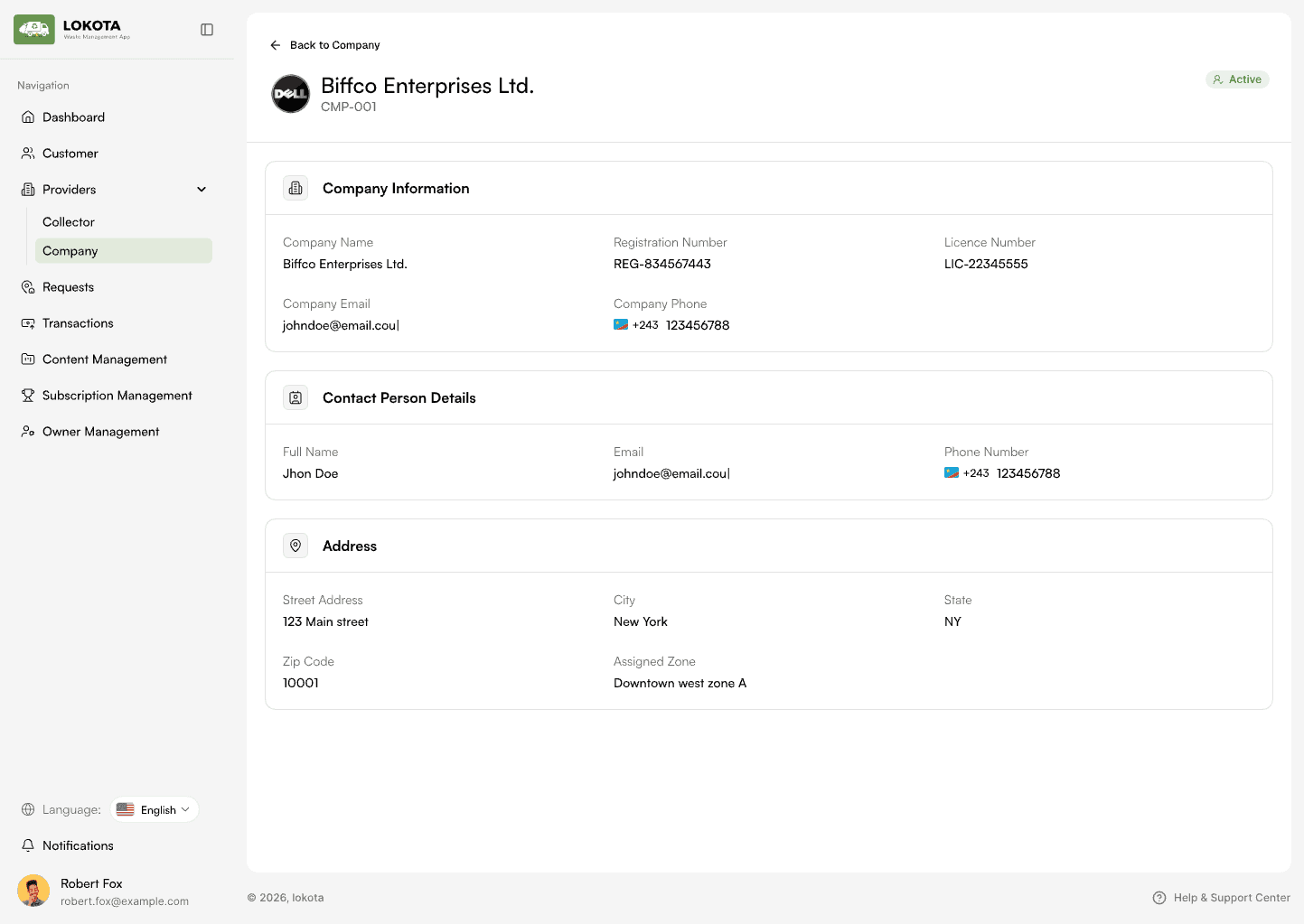
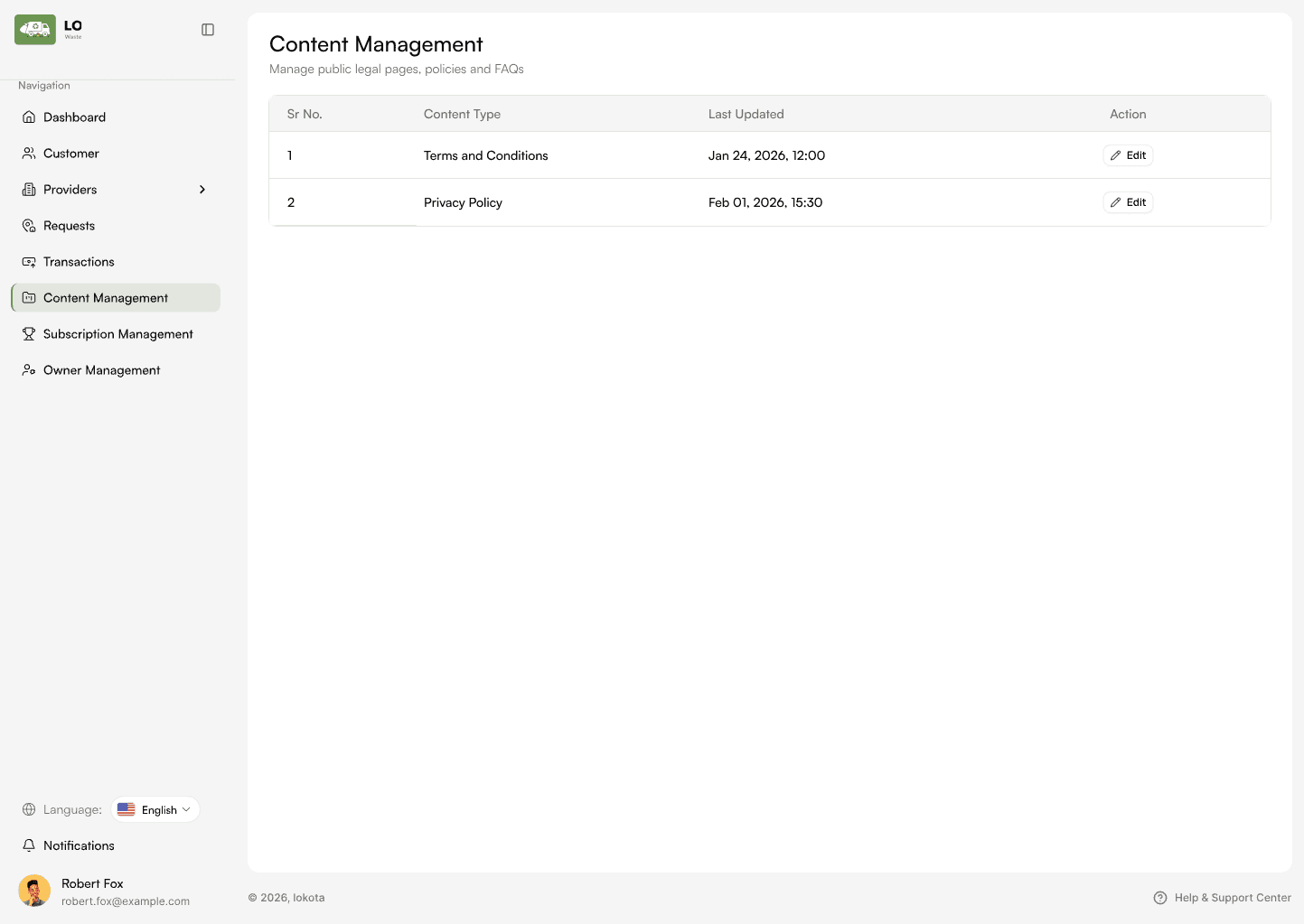
Approves and oversees companies, sees every request and transaction platform-wide, and manages global content.

Admin panel — companies table

UX principle

Give every role only what they need.

The core strategy was role-based simplification. Instead of exposing the whole system to everyone, each experience is structured around one primary responsibility — and all four feed the same pickup lifecycle.

01

Customer

  1. Request
  2. → Pay
  3. → Track
02

Collector

  1. View
  2. → Navigate
  3. → Pickup
  4. → Complete
03

Company

  1. Match
  2. → Assign
  3. → Monitor
04

Admin

  1. Approve
  2. → Configure
  3. → Monitor

Customer request flow

From request to receipt.

Requesting a pickup should feel effortless. A payment-gated request is broken into small, visible steps — with the price shown before payment.
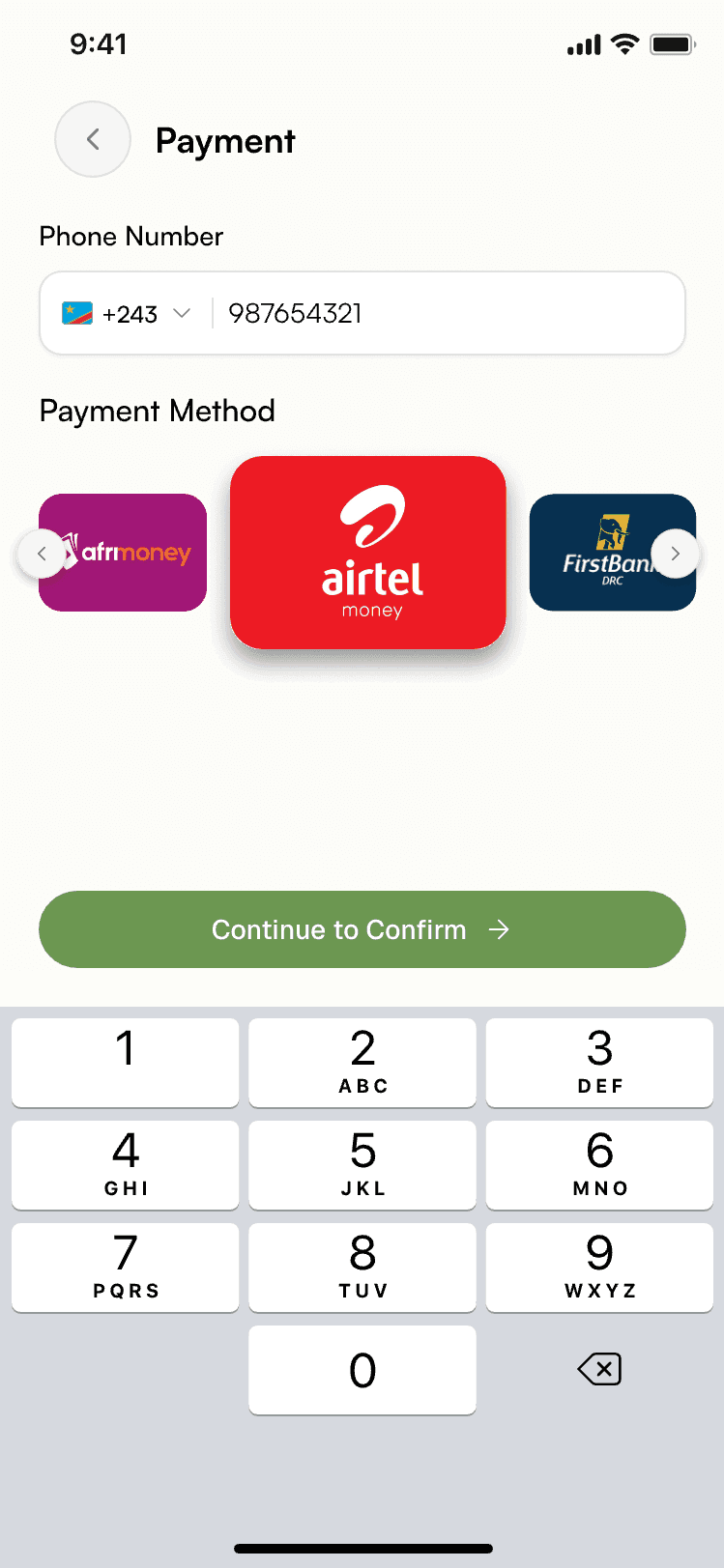
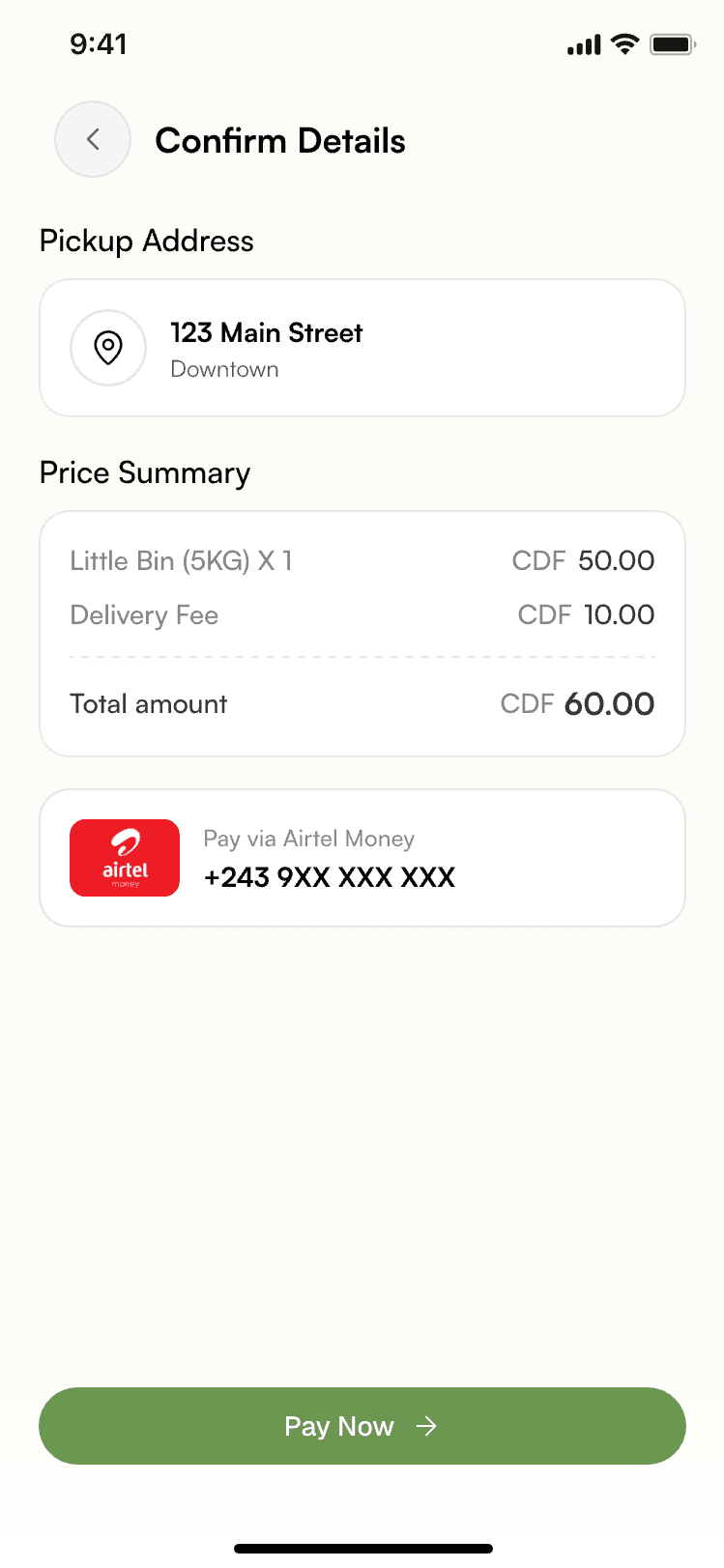
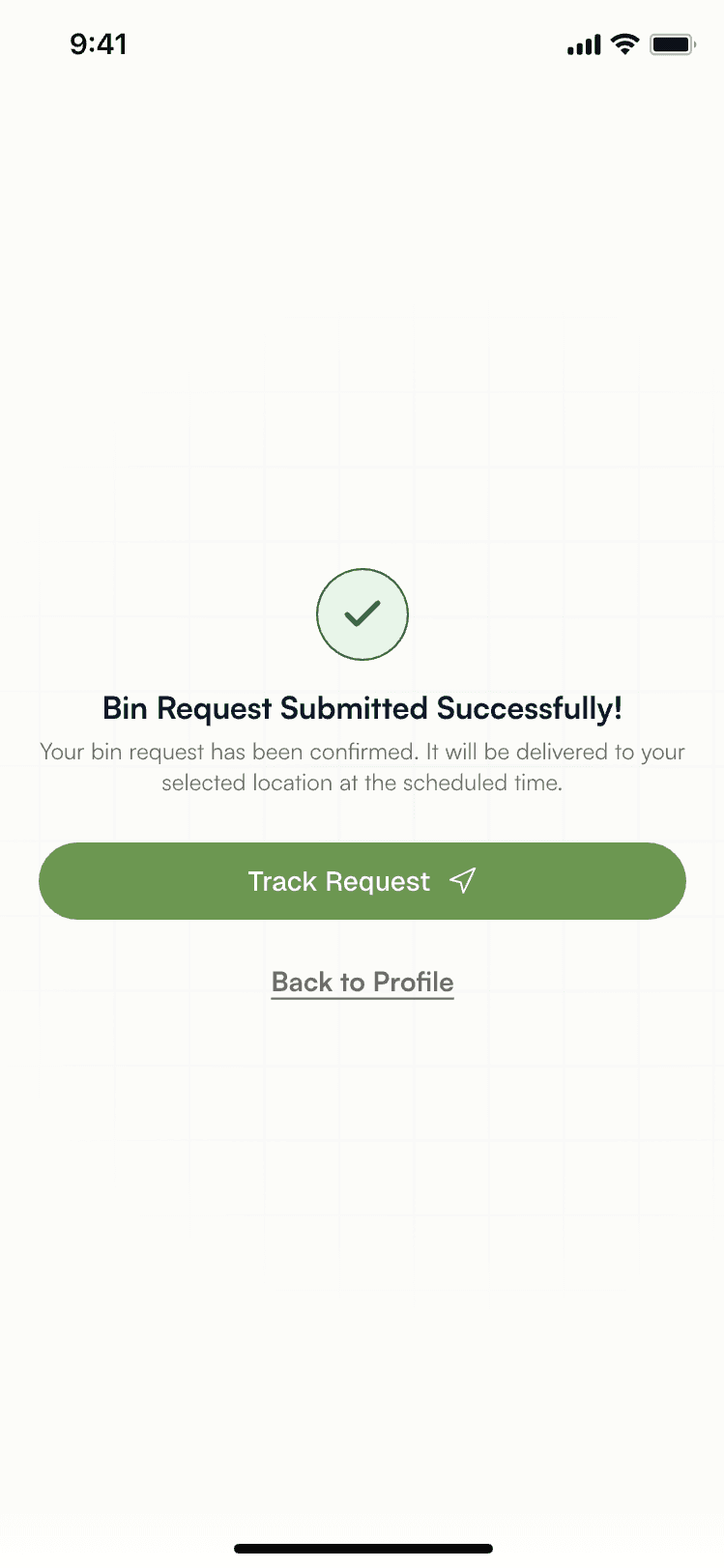
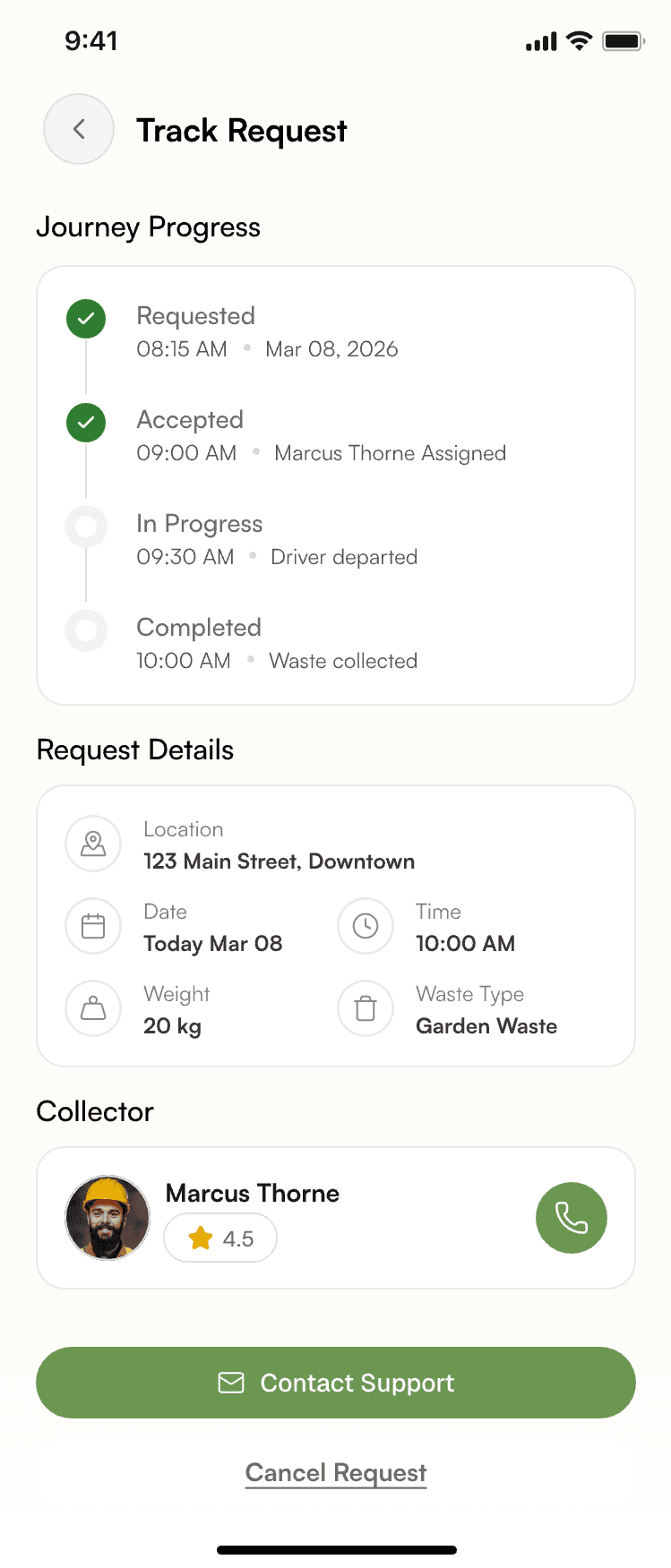
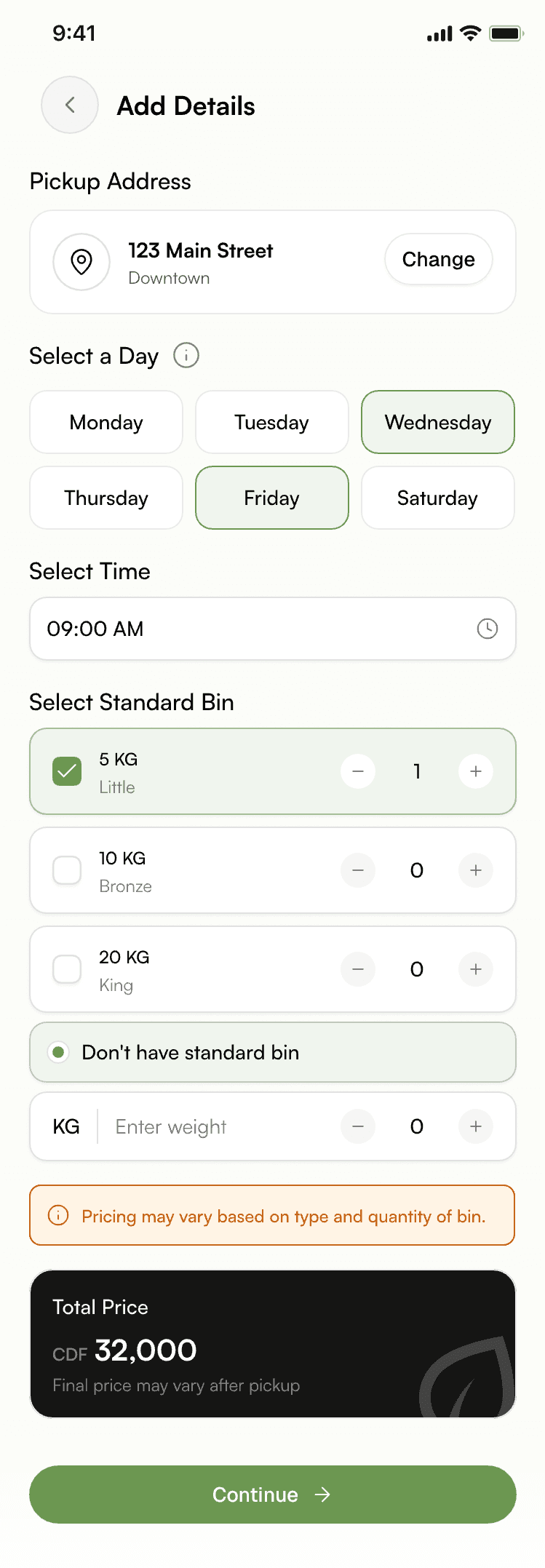
Request a standard bin — bin size, quantity, delivery address, price summaryPayment — phone number and mobile money methodConfirm details — pickup address and price summaryBin request submitted successfullyTrack request — journey progress, details, collector
  1. 01 — Request

    Step-by-step request flow

    Pick a standard bin size and quantity, confirm the pickup address, and see the price summary — bin, delivery fee, and total — before moving on.

  2. 02 — Payment

    Pay with what people already use

    Phone number plus a mobile-money or bank method, processed through the Makuta payment gateway. One screen, one decision.

  3. 03 — Confirm

    Clear price visibility

    Address, price summary, and payment method are restated on one confirmation screen before “Pay now.”

  4. 04 — Submitted

    A quiet moment of confirmation

    The request is created only after payment succeeds. The customer can jump straight to tracking or return to their profile.

  5. 05 — Track

    Transparent pickup status

    Pending → Accepted → Completed (or Rejected), alongside request details, the assigned collector, and a direct support action.
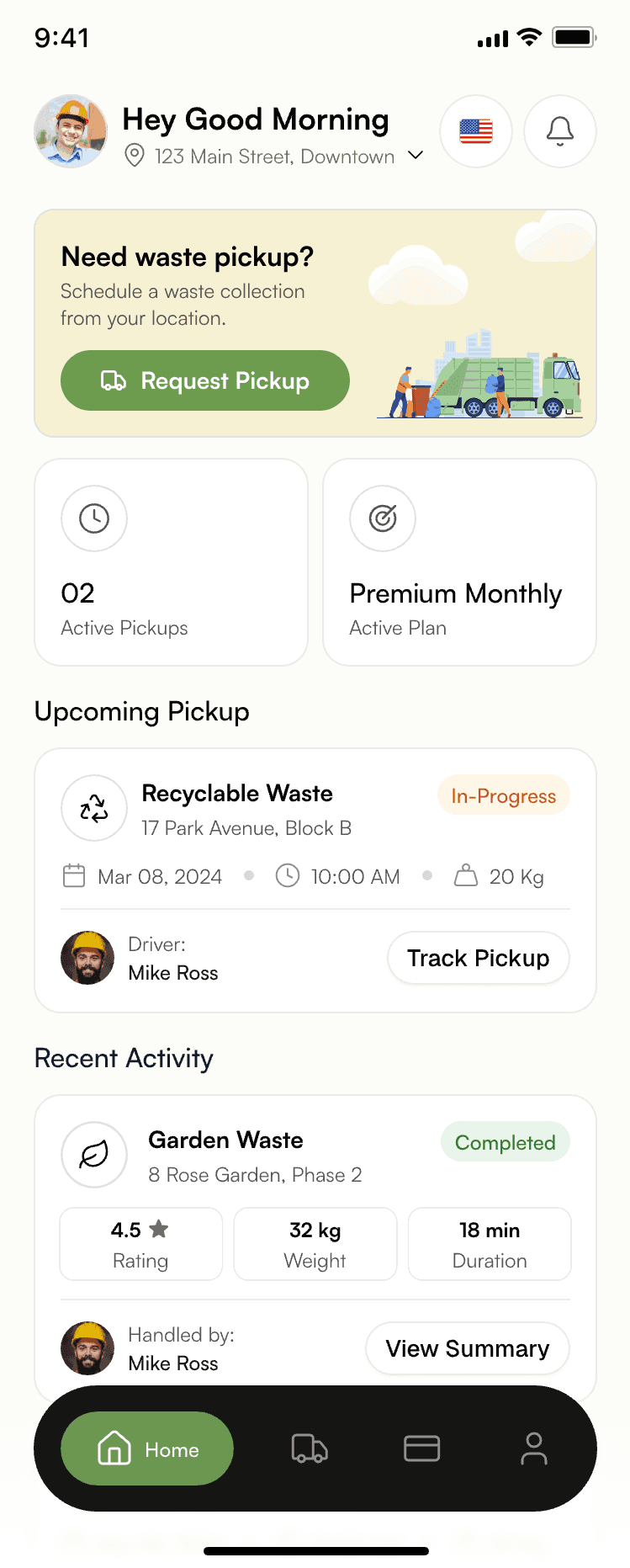
Home
Home
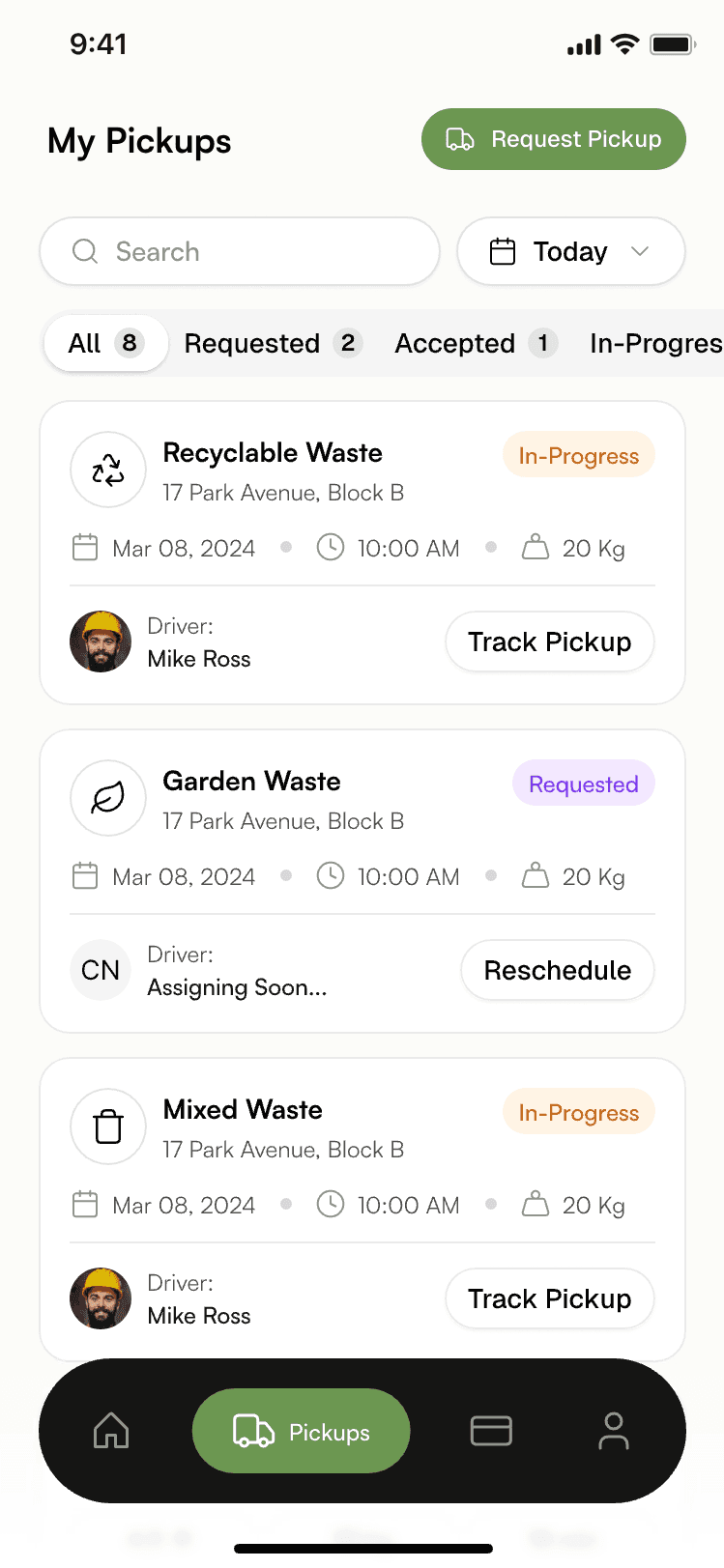
My pickups list
My pickups
Add details — day, time, bin size
Schedule & waste details
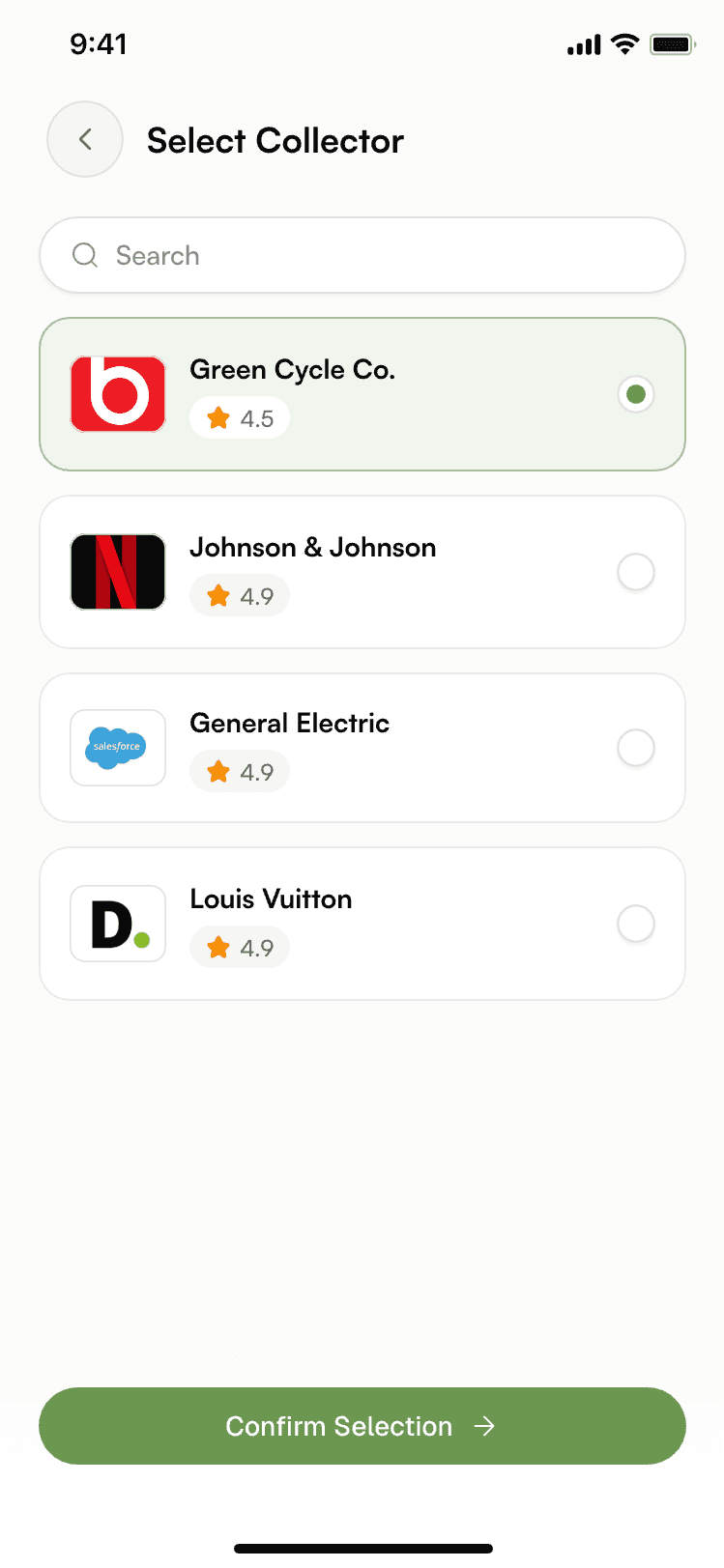
Select collector
Select collector
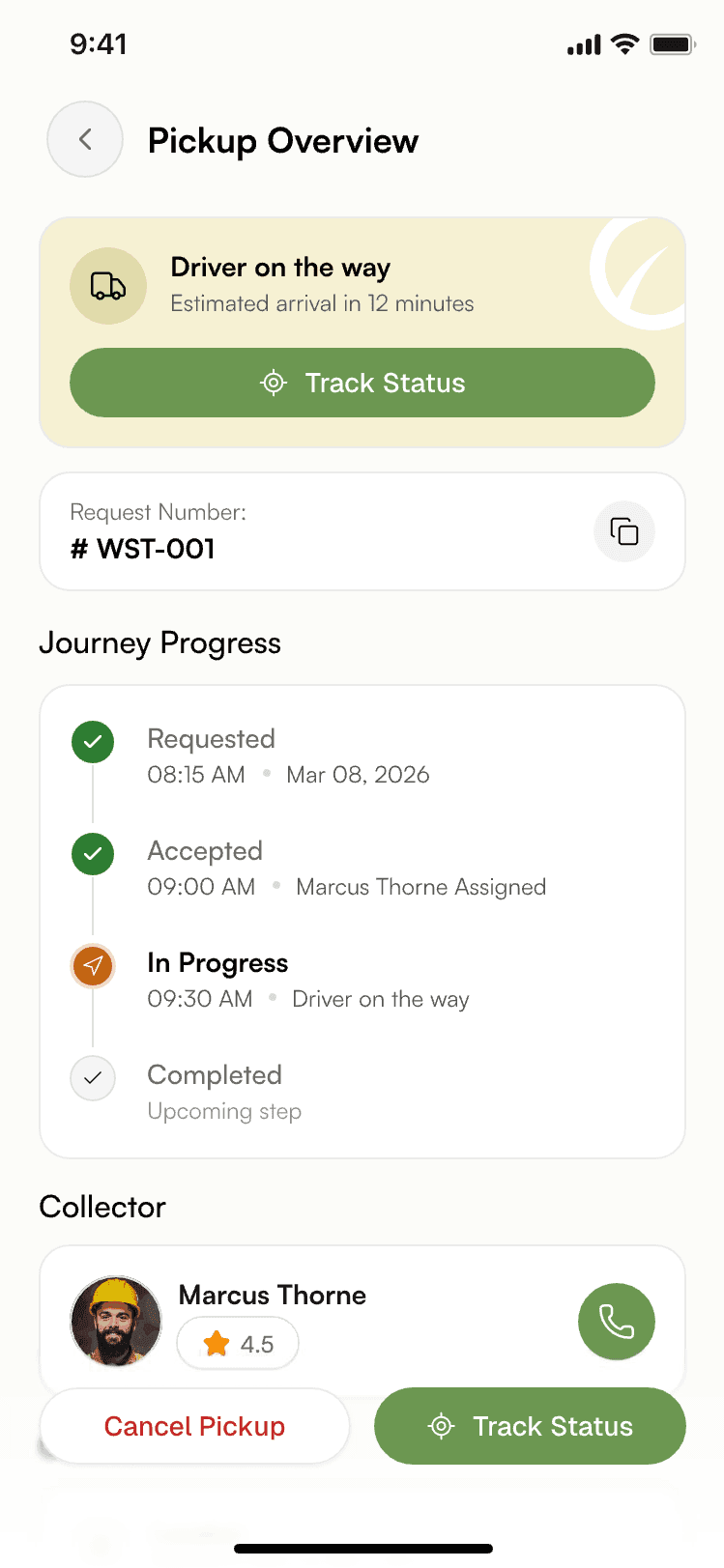
Pickup overview — driver on the way
Driver on the way
Driver details with live location map
Collector & live location
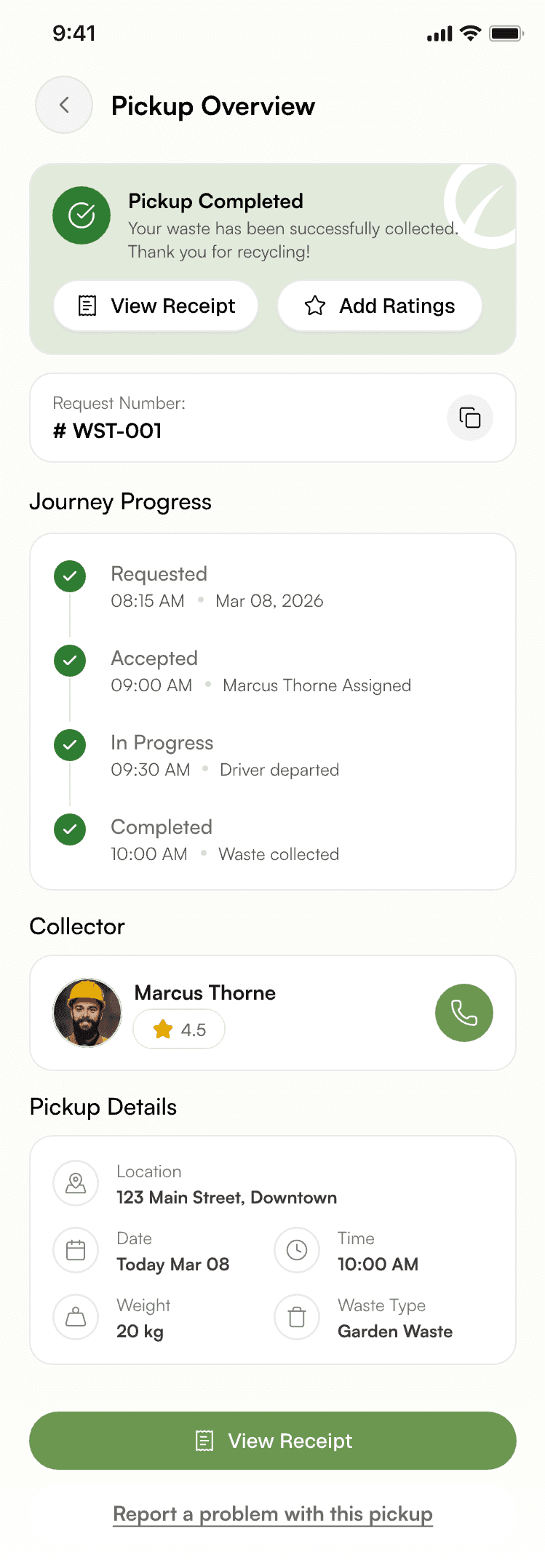
Pickup completed overview
Completed
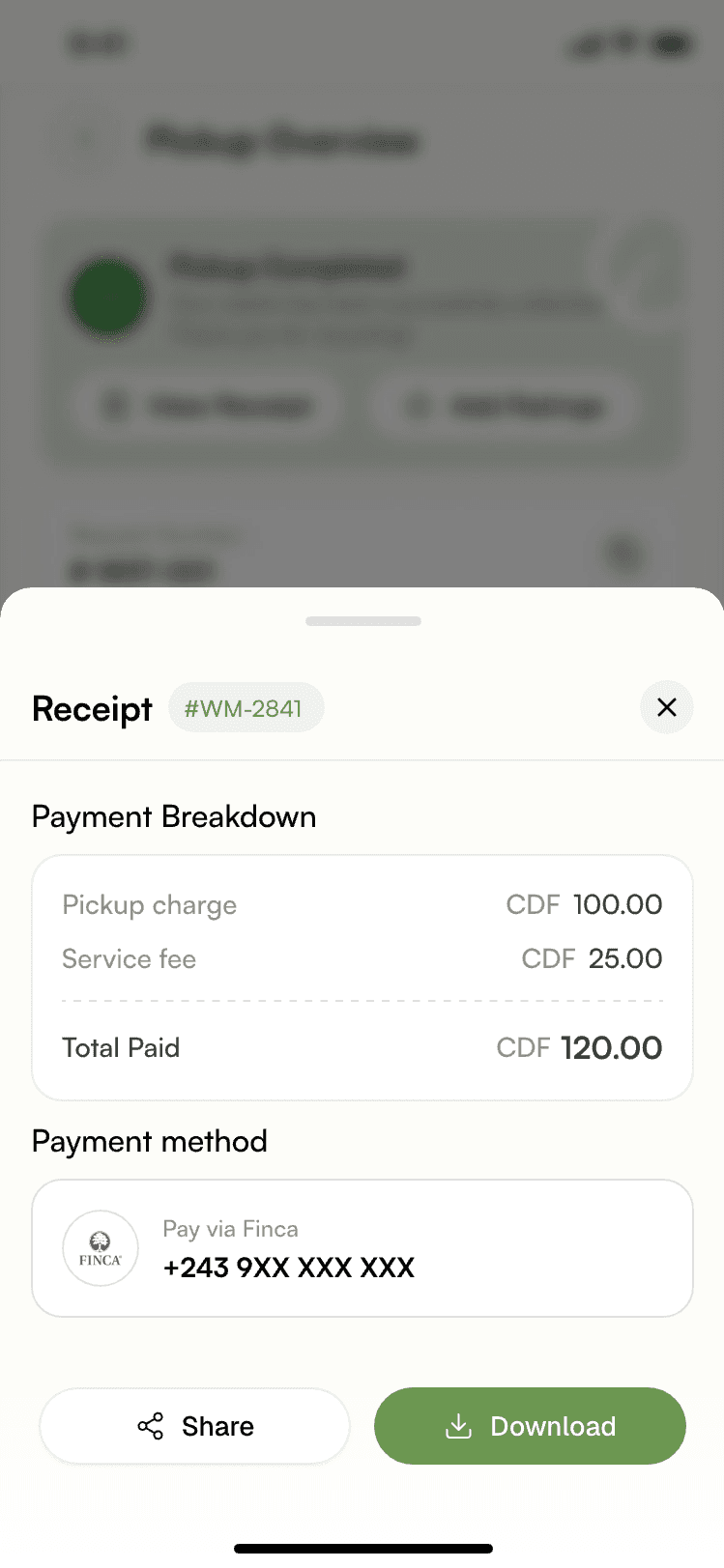
Receipt
Receipt

Pickup tracking

Make the pickup status visible.

The same lifecycle every role sees, rendered for the customer as a simple journey — with the collector and a call action one tap away.

  1. Pending
  2. Accepted
  3. In progress
  4. Completed / Rejected
  • Collector informationName and direct call once assigned
  • Request detailsLocation, date, time, weight, waste type
  • Direct supportContact support or cancel the request
  • Live locationMap view once the collector departs
Track request screen
Driver details with map

Collector execution

Built around the next pickup.

Collectors need action, not exploration. Assigned pickups sit on one screen; each opens into a detail view with the map, the customer, and a clear next step.

  1. AVAILABLE
    Collector home — online toggle and today's summary

    Toggle online. Assigned pickups for today appear.

  2. ASSIGNED
    Today's trips — new requests

    Requests are listed with location, time, and weight.

  3. START
    Pickup detail sheet — map, customer, accept or reject

    Distance, ETA, customer, and details before starting.

  4. IN PROGRESS
    Trip navigation — start navigation to pickup

    Navigate to the pickup location on the map.
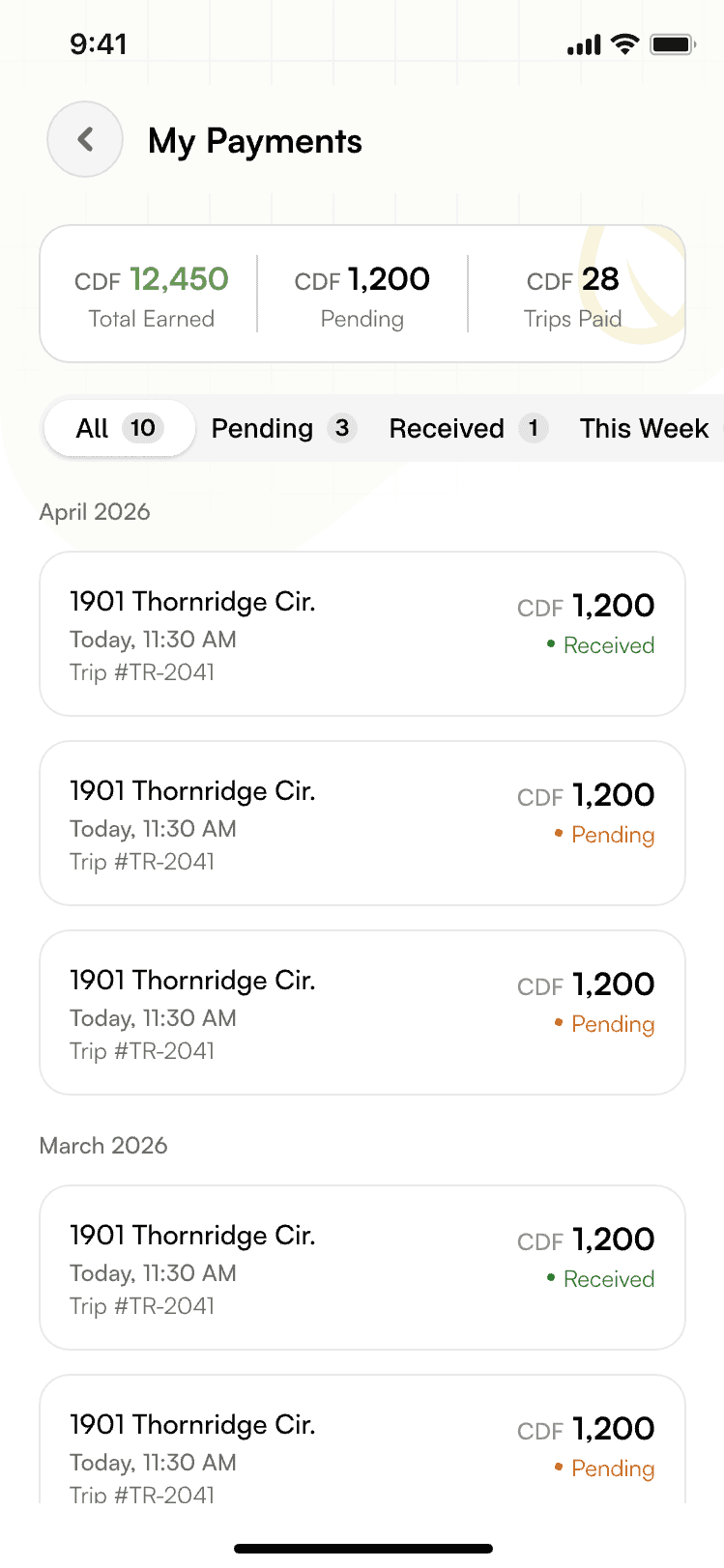
  5. COMPLETE
    Collector payments — completed and pending

    Completed pickups roll into the collector's payments.

Company operations

Turning matched requests into operations.

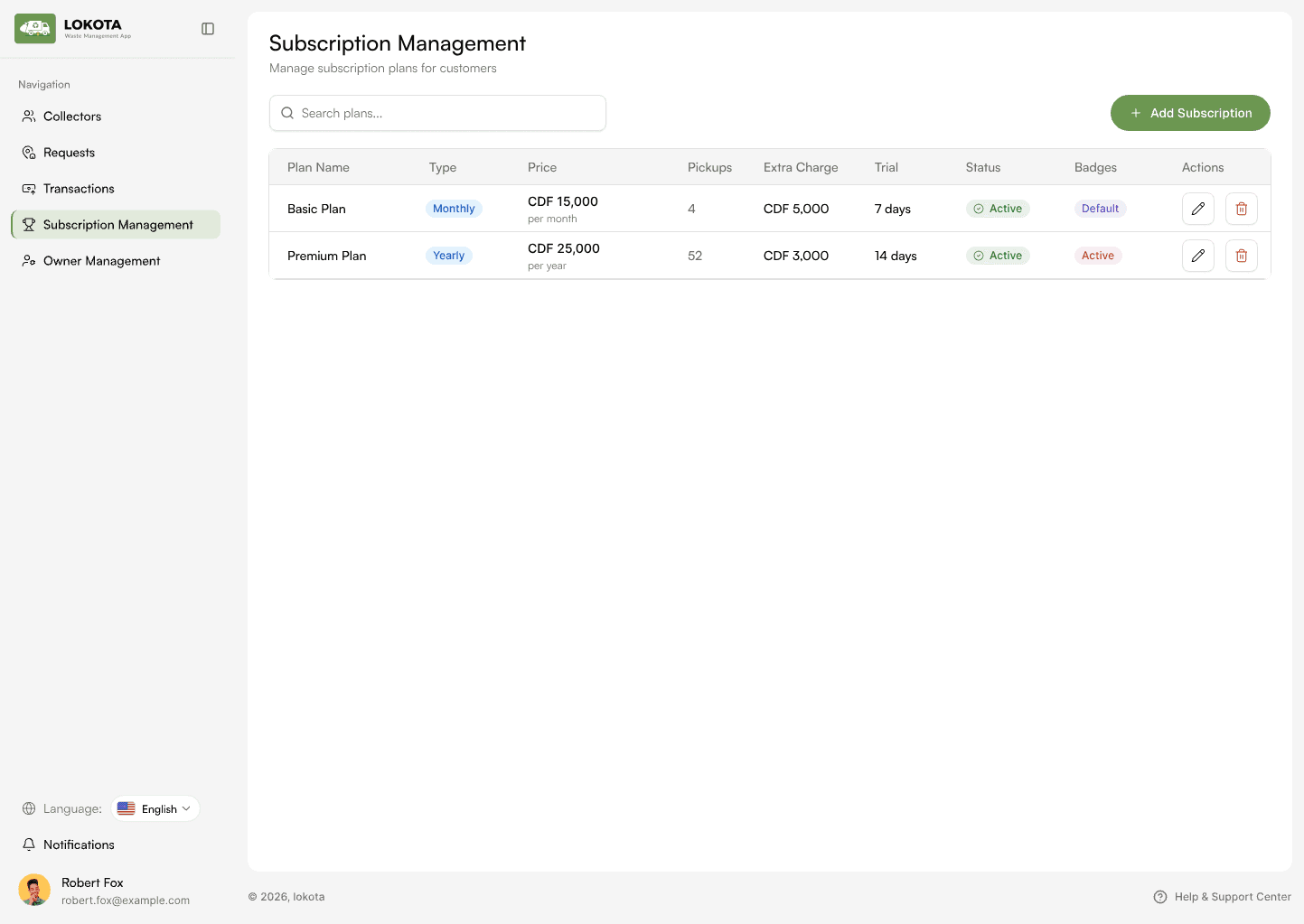
Companies manage their own operational layer — collectors, requests, transactions, and subscription plans — scoped to the service area they've defined.

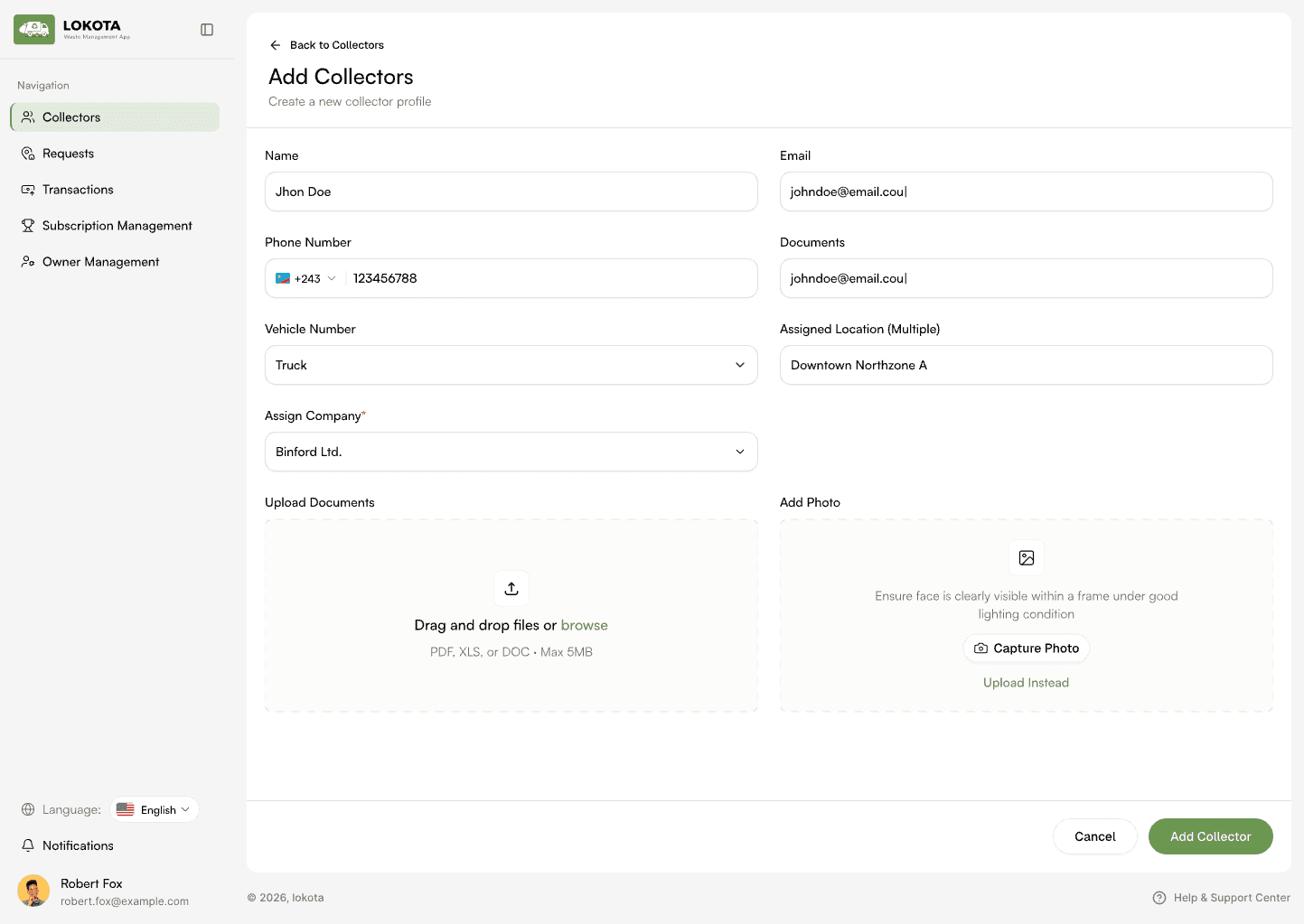
Company panel — requests table
Company panel — request detail with map
Company panel — collector detail
Company panel — transactions
Company panel — subscription management

Admin control center

One control center for the entire ecosystem.

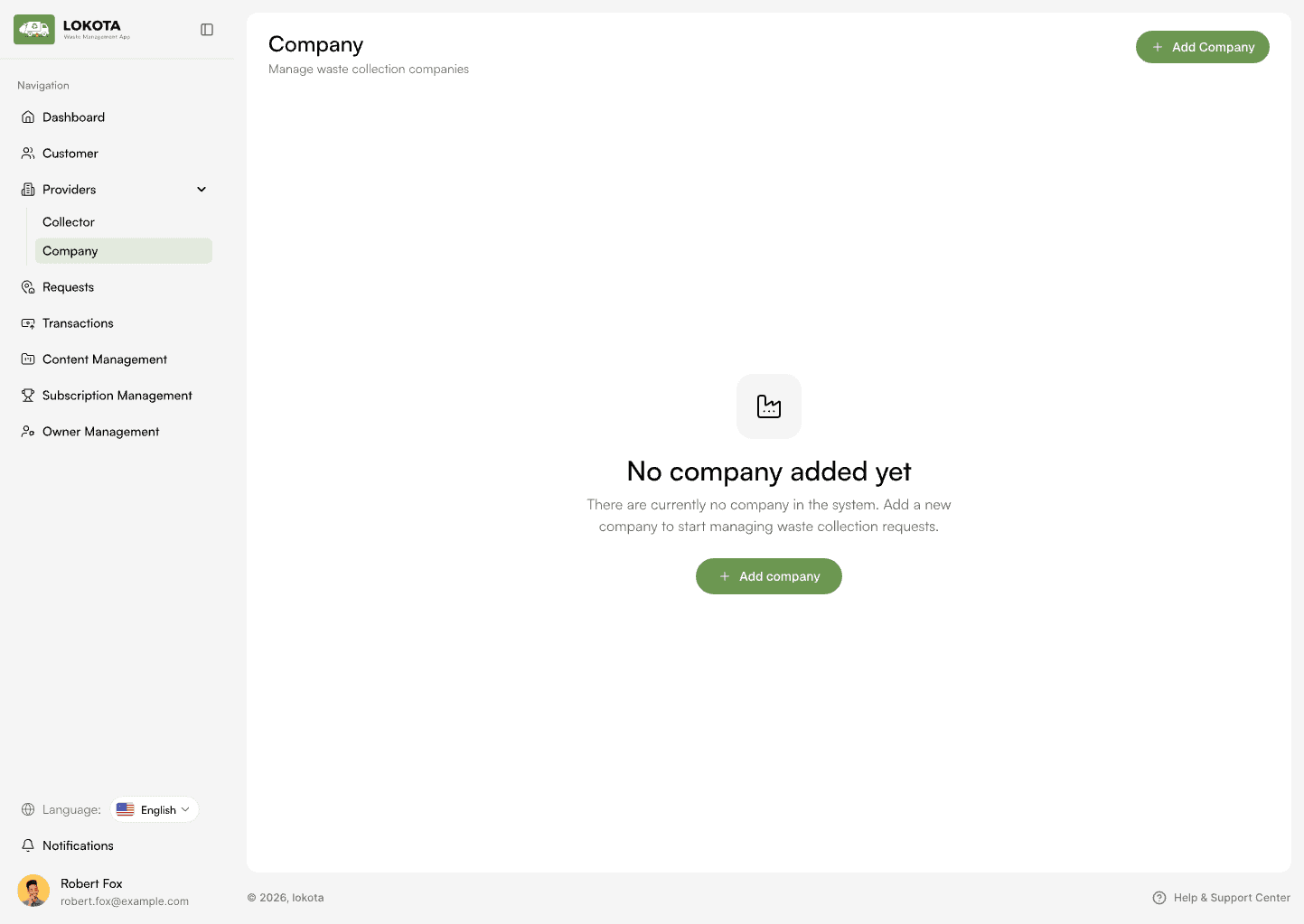
The admin sees every layer — customers, companies, collectors, requests, and transactions. The same table, filter, and detail patterns repeat, so learning one module means knowing them all.
admin.collecthub
Admin — companies, empty state
Admin — companies list
Admin — company detail
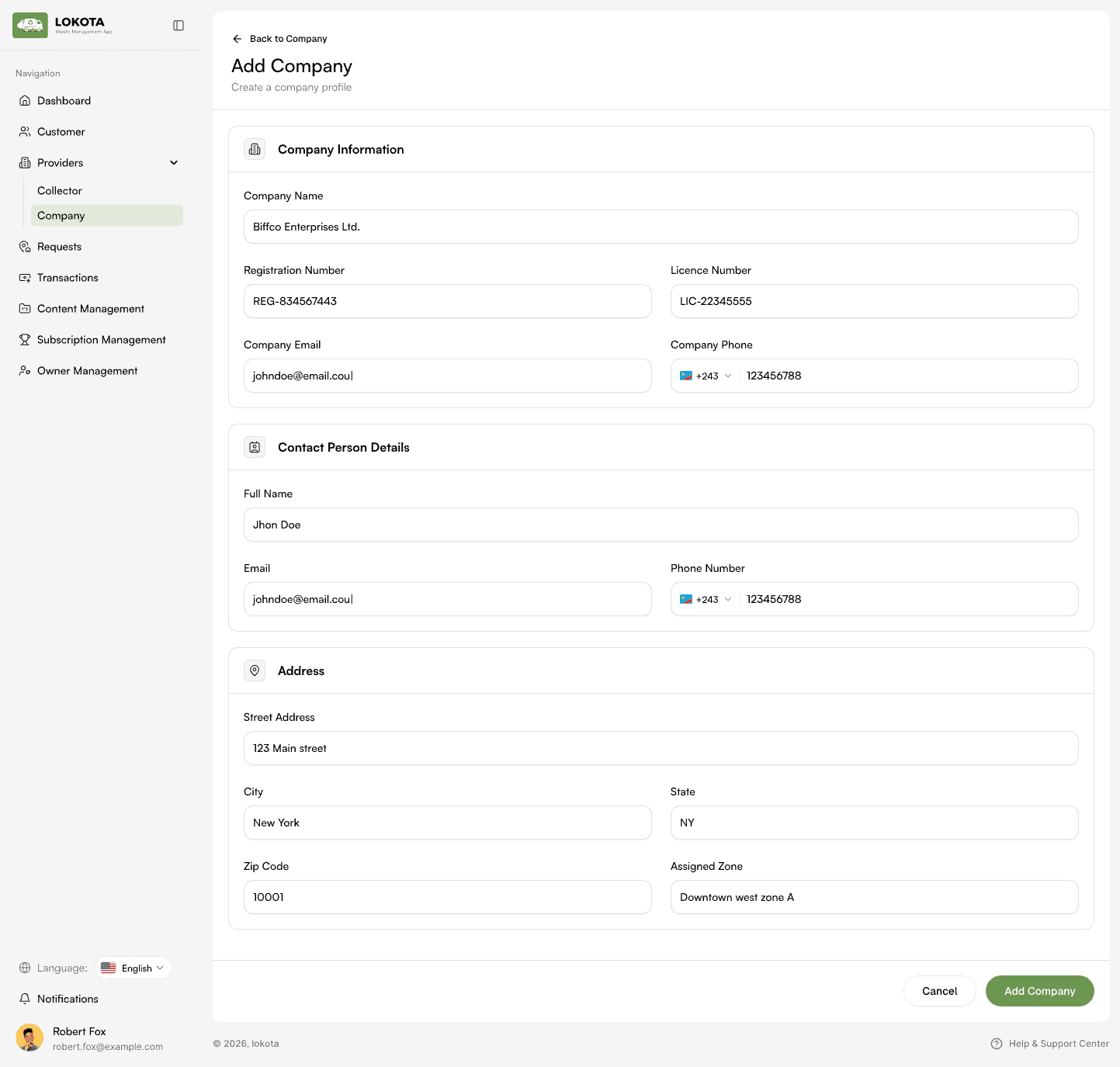
Admin — add company form
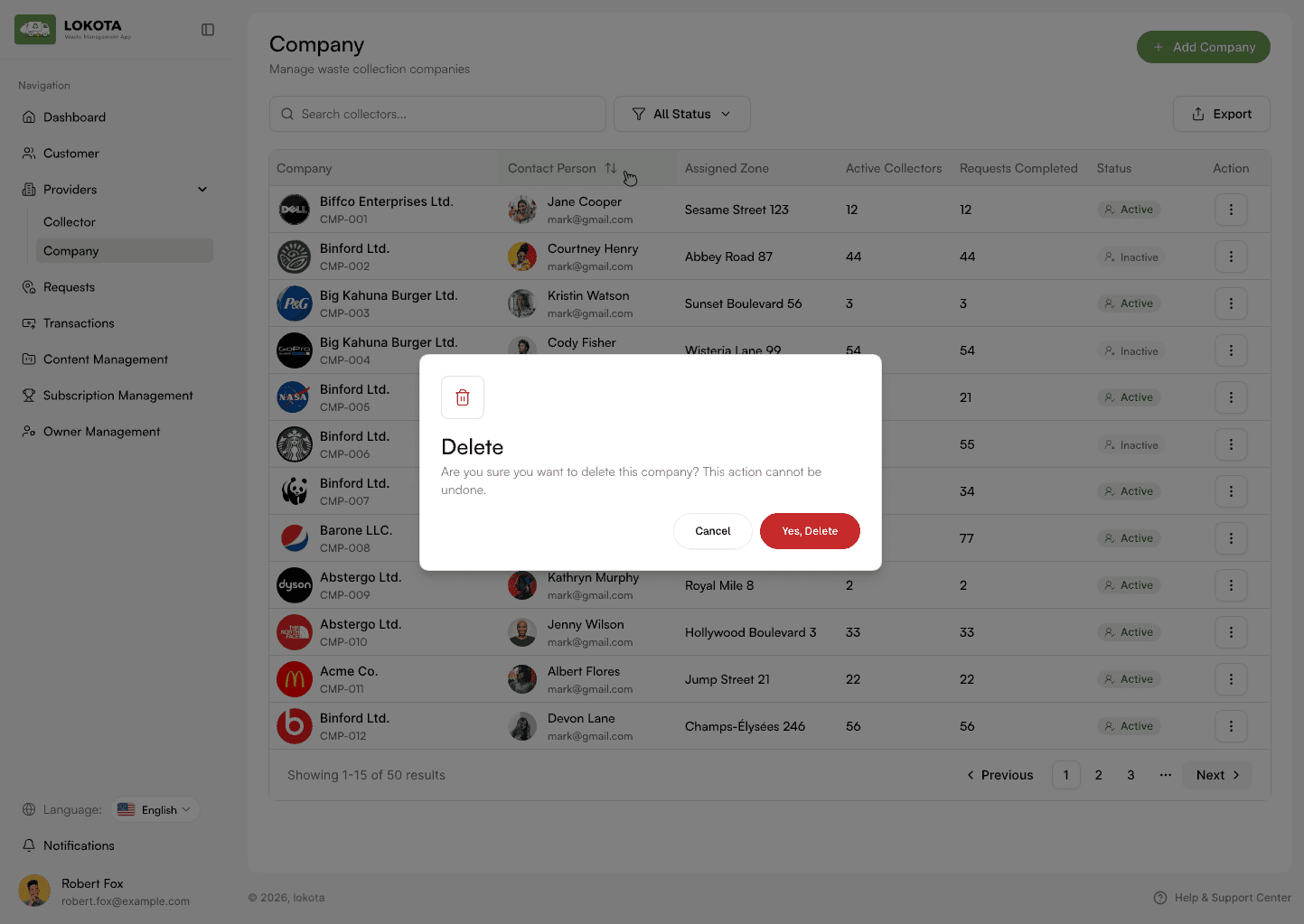
Admin — delete confirmation
Admin — content management
01Start from an empty state with one clear action

Request lifecycle

Keep every transaction connected to the pickup.

  1. Request
  2. Match
  3. Payment
  4. Pickup
  5. Transaction
  6. Receipt
Customer payment
Customer pays
Customer receipt
Receipt
Company transactions table with success, pending and failed statuses
Company transactions — every payment tied to its request and collector company

Design system

A system designed to scale across roles.

One green, one ink, warm neutrals, and a small set of components — reused from a 375px phone to a 1440px operations table.

color.brand.primary
#6C9B4F
color.brand.strong
#4F7F37
color.surface.base
#FAFAF6
color.surface.subtle
#F4F1DE
color.text.primary
#1C1C1A
color.text.secondary
#8A8A82
color.border.default
#E6E4DC

Buttons

Status chips

CompletedIn-ProgressSuccessFailed

Inputs

Search by address, name or location…
17 Park Avenue, Block B

Cards

Recyclable WasteIn-Progress
17 Park Avenue, Block B
Mar 0810:00 AM20 kg

The complete system

One request travels through the entire ecosystem.

COLLECT
HUB
Customer app

CUSTOMER

Admin panel

ADMIN

Company panel

COMPANY

Collector app

COLLECTOR

  1. REQUEST
  2. MATCHING
  3. ASSIGNMENT
  4. PICKUP
  5. PAYMENT
  6. COMPLETION

Outcome

From fragmented operations to one connected journey.

  • Clearer on-demand pickup experience
  • Service-radius matching instead of manual dispatch
  • Role-based apps and panels, each scoped to one job
  • Payment-gated request lifecycle
  • Centralized company & collector oversight
  • One backend, four consistent clients
Customer — pickup completed
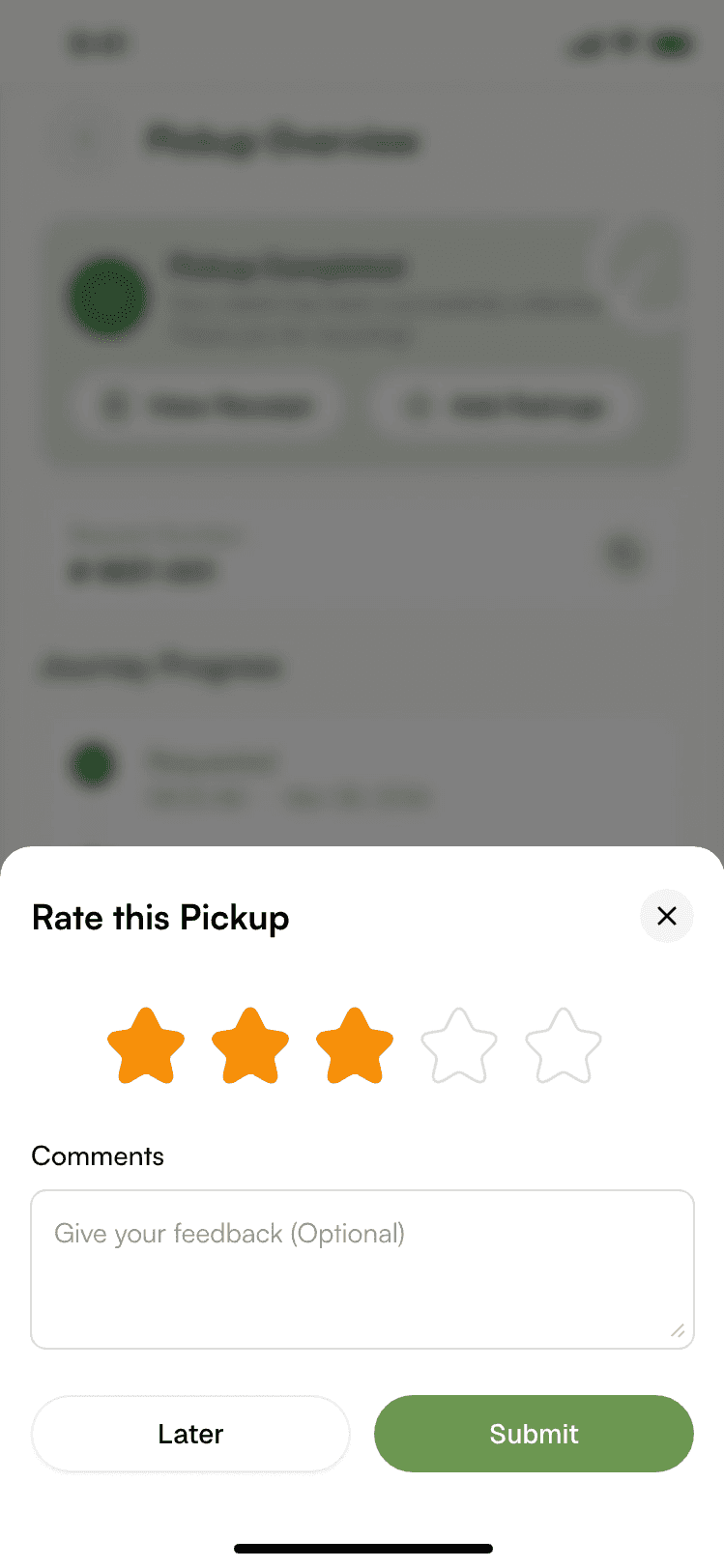
Customer — rate the pickup
Collector — payments

One pickup connects an entire ecosystem.

Collect HUB brings the customer, collector, company, and administrator into one connected operational experience — making waste collection easier to request, manage, track, and complete.

Explore the system
Building a multi-role platform?

Ready to connect your own ecosystem of users?

Multiple roles, one backend, real-time state across mobile and web — we've delivered systems like this end to end.

Start a conversation →